
Why back up your settings?
CloudWatcher stores its settings in the Windows Registry. Exporting that one registry key gives you a file you can restore with a double-click, which is handy if you are:
- Changing to a new computer
- Upgrading to a newer Windows
- Just keeping a backup copy
Exporting your settings (backup)
- Execute the system tool
regedit. - Navigate to:
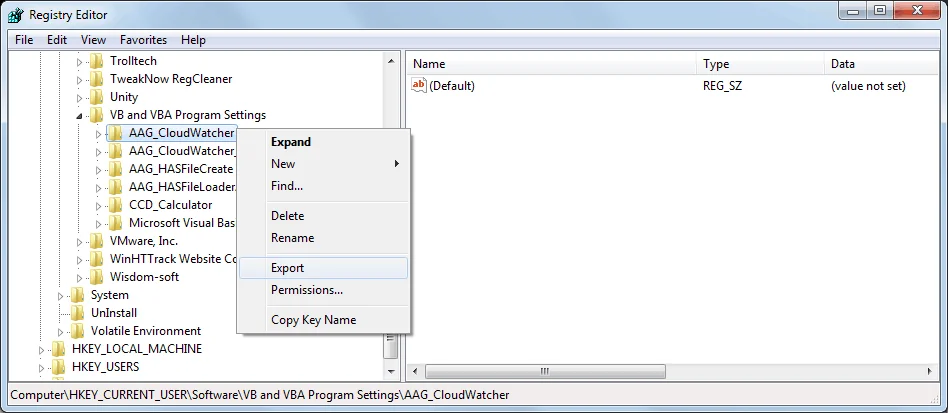
Computer\HKEY_CURRENT_USER\Software\VB and VBA Program Settings\AAG_CloudWatcher - Right-click on the AAG_CloudWatcher key and select Export.
- You'll be asked for a file name. The exported file has a .reg extension. Once saved, you can close the registry editor.
Restoring your settings
To restore these settings later, on this or maybe another computer, just double-click the file. Windows will ask for confirmation before merging the settings into the Registry.