
Exporting the settings
Just execute the system tool regedit, and navigate to:HKEY_CURRENT_USER\Software\Lunatico\Seletek, as shown in the image below:
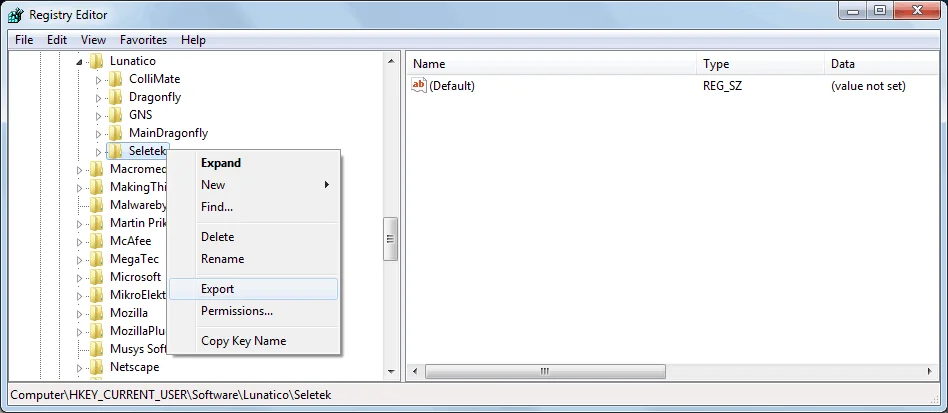
Right-click on the Seletek key, and select Export. You'll be asked for a file name. Once saved, you can close the registry editor.
Restoring the settings
To restore these settings later, maybe on another computer, just double-click the file.