Dragonfly—macros
Dragonfly can send the park command directly to your mount via a macro, from the Dragonfly itself.
If you use a 10Micron, or any other network-enabled mount (upon request), you can have Dragonfly park it automatically as part of your roof-closing sequence: no computer, no automation software, nothing else running. The Dragonfly does it all.
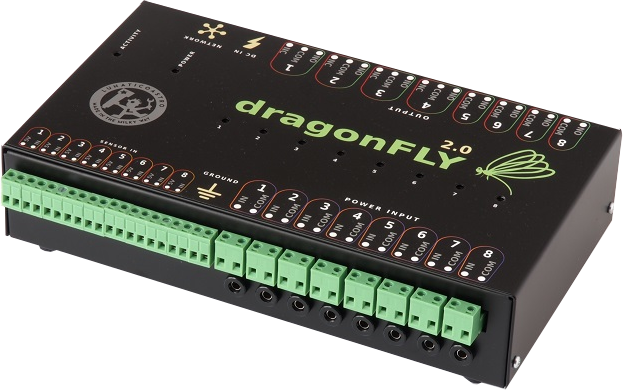
Dragonfly macros can open TCP connections, send arbitrary text commands, and receive responses, the same mechanism your automation software would use, but running directly on the Dragonfly board without any PC involved.
When your weather station triggers a roof close, the Dragonfly's close sequence can include a macro call that connects to your mount's IP address, sends the park command, waits for the acknowledgement, and only then proceeds to close the roof. The mount is parked, the roof closes. All of this can happen with your observatory PC off.
The macro manual documents the full API, including the TCP socket functions used for mount communication. The same approach works for any mount that speaks an IP-based protocol.
Any mount that accepts park commands over TCP/IP can be controlled this way.
10Micron mounts expose a TCP command interface. Dragonfly can connect and send the park command, exactly as the macro manual describes.
If your mount supports TCP/IP commands—whether through a built-in server, an ASCOM Remote setup, or a Stellarmate / INDI server—a Dragonfly macro can send it whatever the protocol requires. Get in touch and we'll help you set it up.
Most observatory controllers can close a roof. What they cannot do is park the mount first, because that requires talking to the mount, which requires a PC running, which requires... everything to be working. If the PC has crashed or lost network, the mount sits wherever it was when the roof closes.
Dragonfly breaks this dependency. The mount-parking macro runs on the Dragonfly's own processor. As long as the Dragonfly has power and network access to the mount, it can park, even if the observatory PC is off, rebooting, or unreachable.
Combined with the CloudWatcher for weather input and Dragonfly's relay outputs for roof motor control, this creates a fully autonomous shutdown loop: weather goes unsafe → Dragonfly parks mount → Dragonfly closes roof → done, with no human or computer involved.
The complete reference for Dragonfly macros—including TCP socket functions for mount communication.
Read guide →Full installation, configuration and feature guide for the Dragonfly observatory controller.
Read guide →Specifications, buy links, app info, connection diagrams and all documentation in one place.
View Dragonfly →Have a mount model you'd like to verify, or need help writing a park macro? Get in touch.
Contact us →