Shared observatory controller
Starling is designed for shared and professional observatories where multiple users need to operate the same roll-off roof. Two access roles—Sentinel and Clients—keep everyone in sync and the infrastructure protected at all times.
Latest update · September 2026 Software v3 released Pushover notifications, a sentinel bypass to force open or close, an analog power fail sensor option and automatic dehumidifier control on close. What’s new →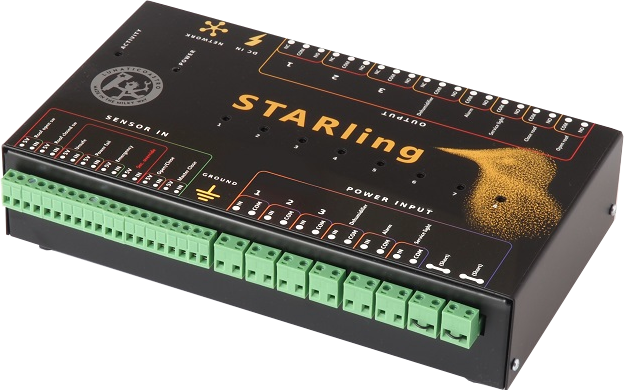
Starling or Dragonfly — which is right for me?
Starling
Focused on the roll-off roof and multi-user coordination. For shared or professional observatories where several people use the same infrastructure.
Dragonfly
A versatile controller for many observatory elements in a personal or single-user setup — dome, focuser, sensors, flat panel and more.
See Dragonfly → Read the full comparison →Starling's role-based model separates infrastructure control from day-to-day use, so every user gets exactly the access they need, and the Sentinel always stays in charge of safety.
The Sentinel is the observatory owner or manager. They supervise the system, monitor all conditions and can override any client action when needed.
Clients are authorised users of the shared observatory. They interact with the roof as if they were the only ones. Starling handles the coordination invisibly.
Access is role-based, not device-based: Sentinel and Clients can connect from desktop, tablet or mobile.
The Sentinel interface gives full diagnostic and control access. The Client panel is focused, clean and designed to be usable from any device.
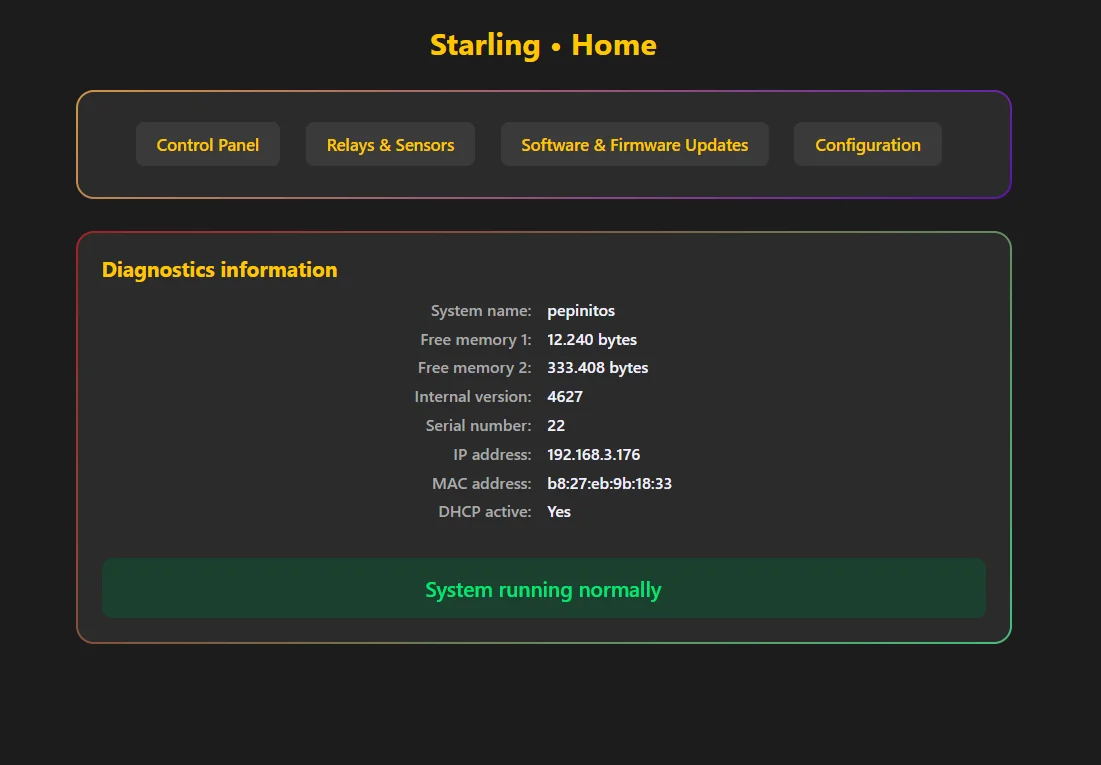
Sentinel · Home—Diagnostics panel showing system name, firmware version, IP address and overall health status.
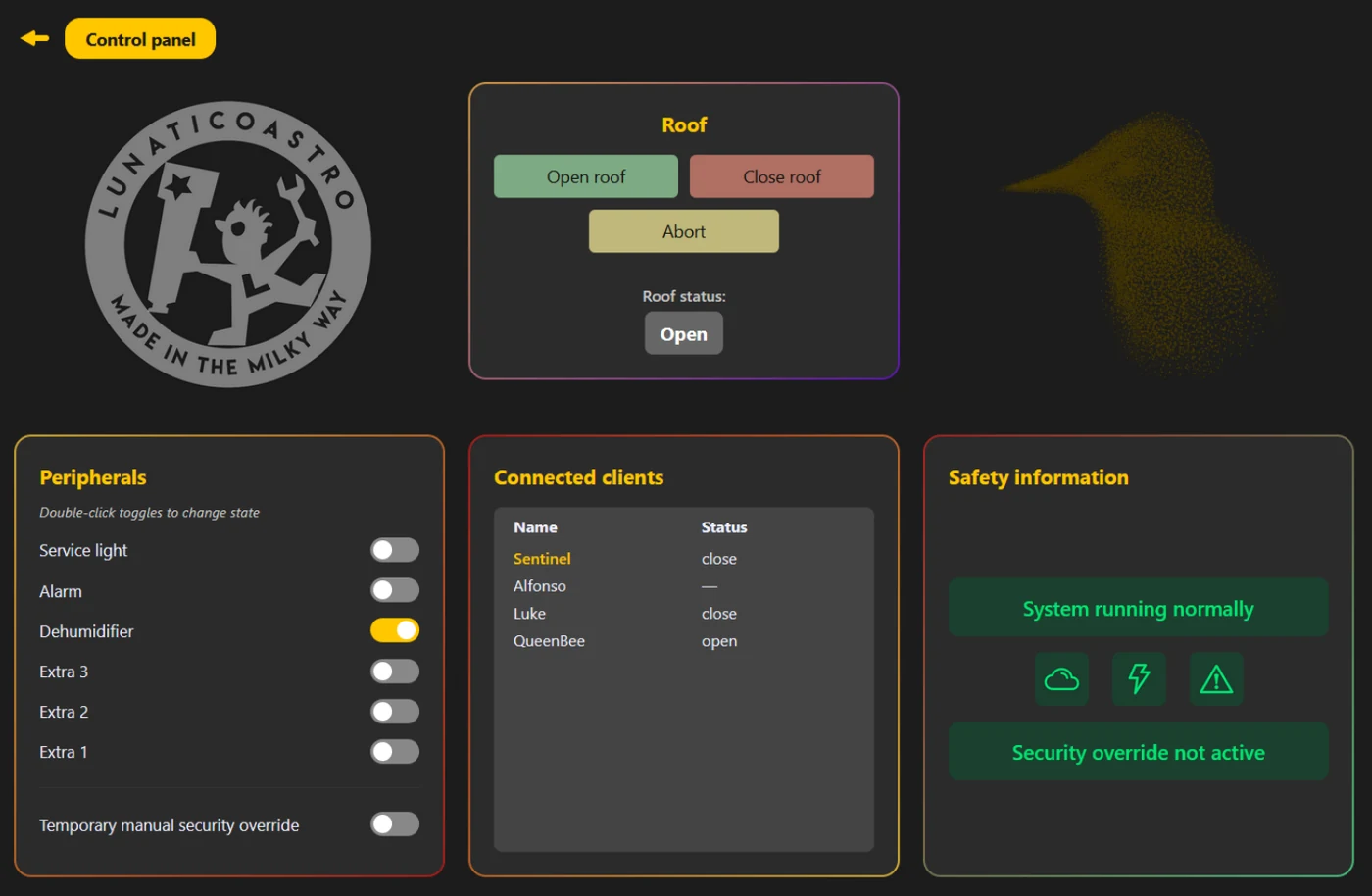
Sentinel · Control Panel—The Sentinel’s main screen: roof open, close and abort with the current roof status; the peripheral relays as toggles, changed with a double-click; the list of connected clients and what each one is asking for; and the live safety information.
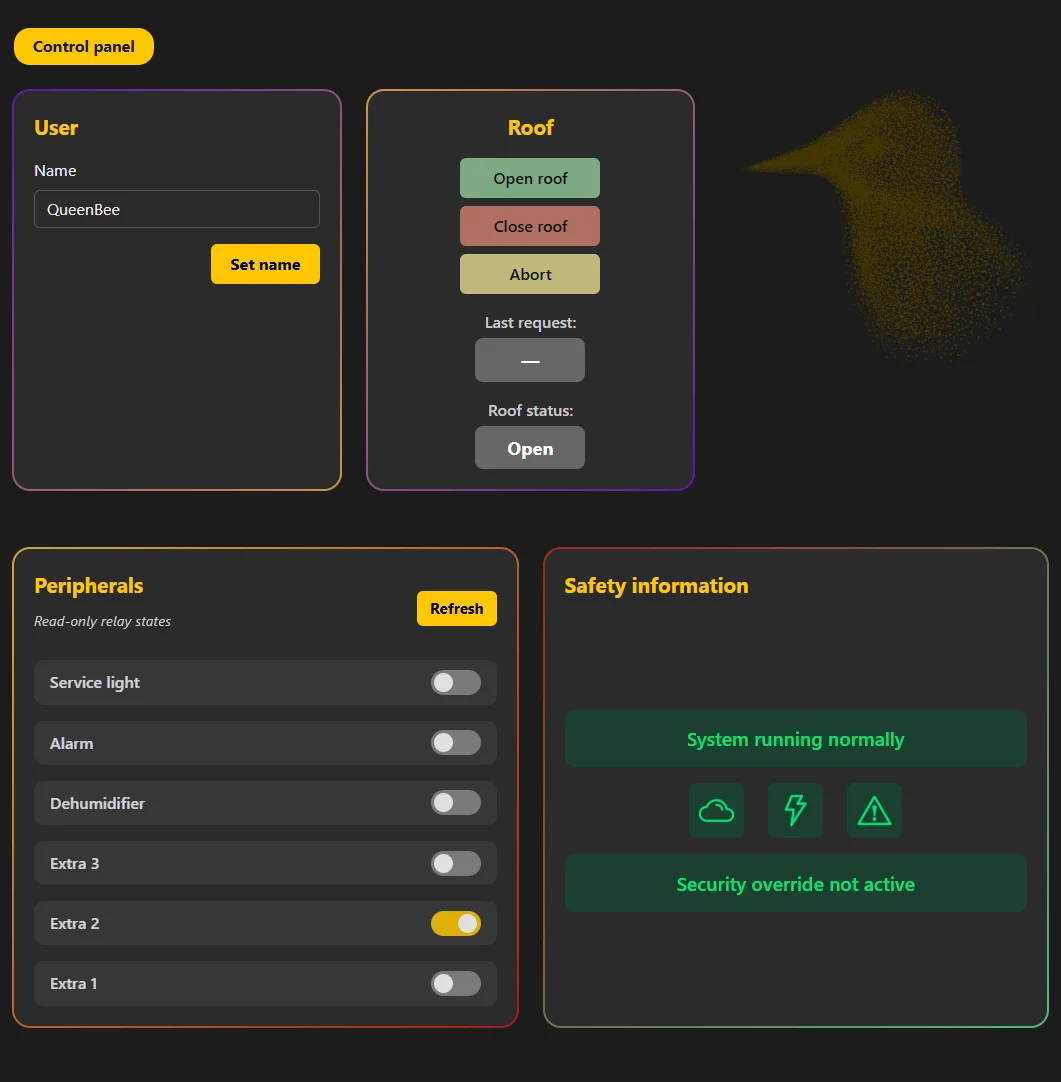
Client · Control Panel—Simplified panel with user name, roof open/close/abort controls, read-only peripheral states and live safety information.
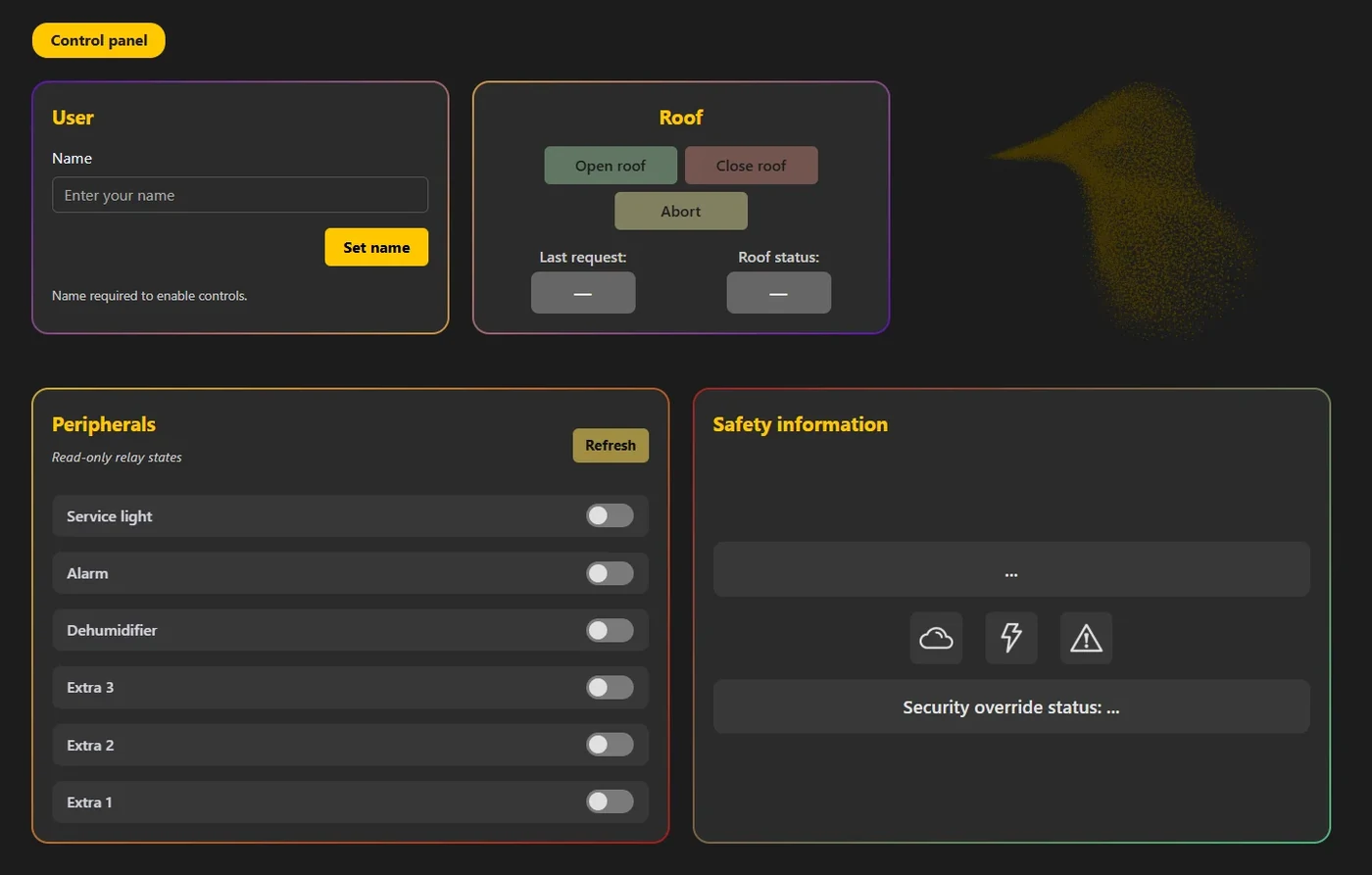
Client · Control Panel, before entering a name—The same user panel as it arrives: the controls stay disabled until the user sets a name, and the peripheral states are read only.

Client · Mobile view—The same control panel, responsive and fully usable on a phone screen.

Pin to home screen—No app needed: pinning the control panel to your phone's home screen gives it an app-like feel.
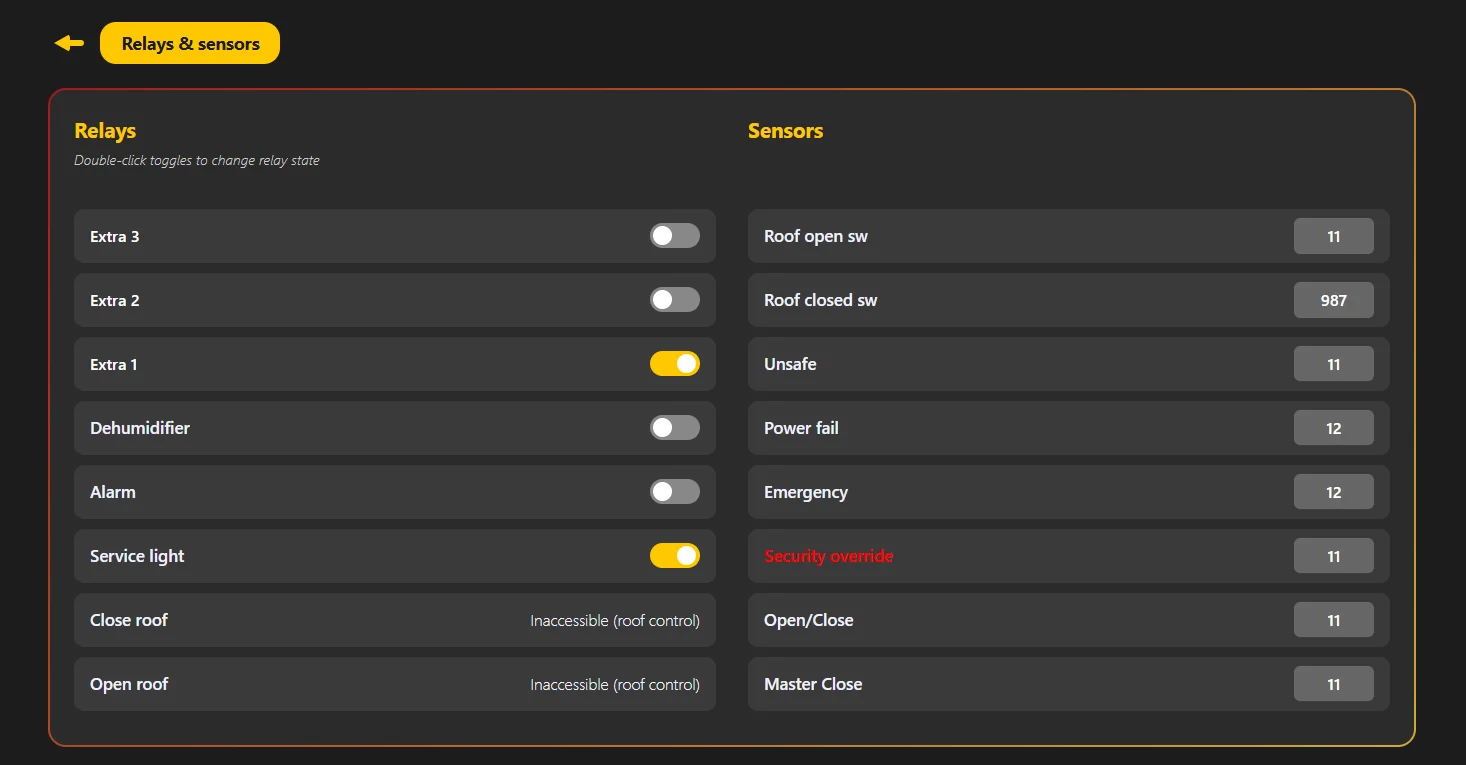
Sentinel · Relays & Sensors—The six general-purpose relays can be toggled directly (a double-click is required, so they are only ever changed intentionally); the two roof-control relays show as Inaccessible and should not be operated by hand. All 8 sensor inputs are read live, including roof position, safety state and emergency.
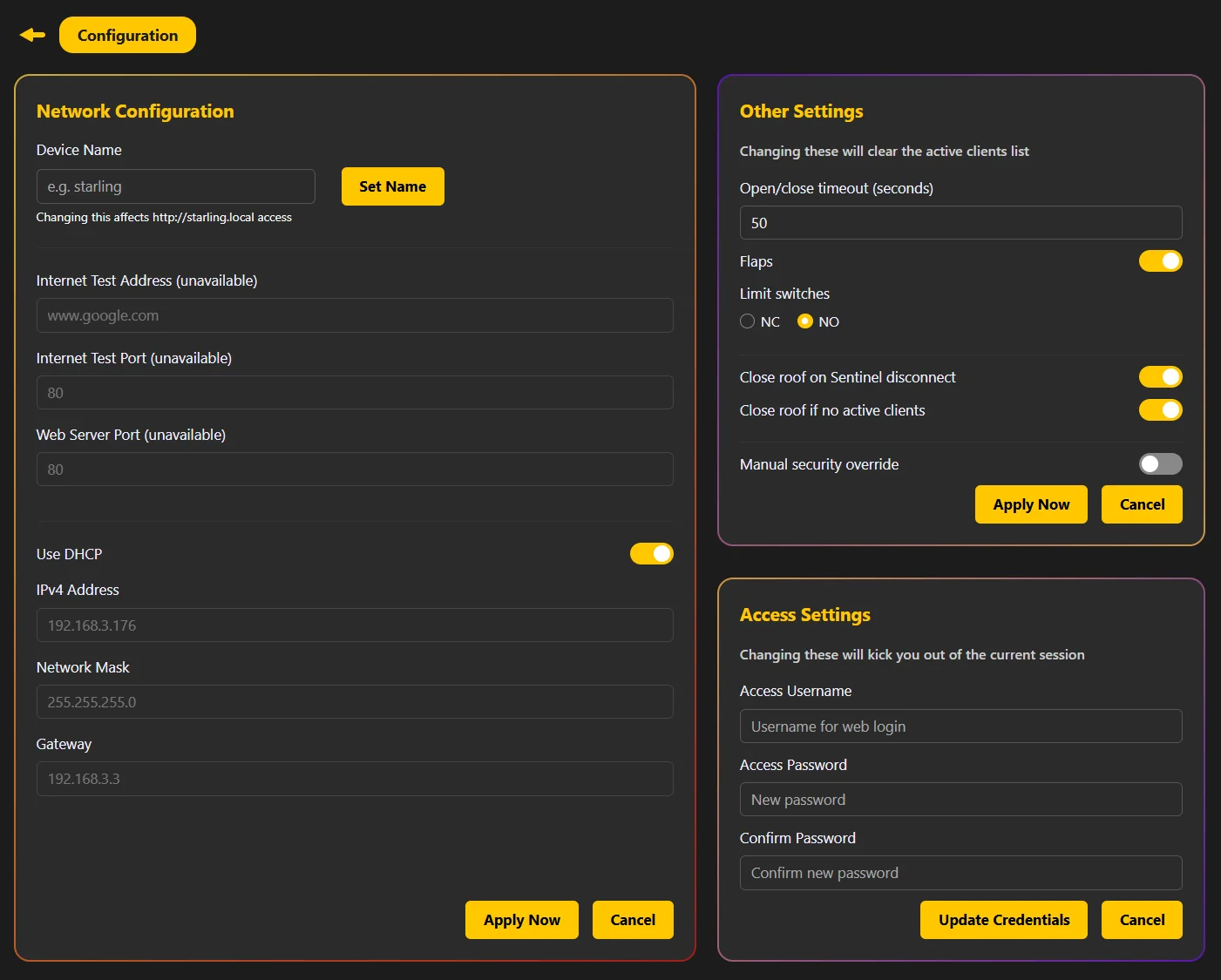
Sentinel · Configuration—Network settings, open/close timeout, flap control, limit switch polarity, safety closure rules and access credentials.
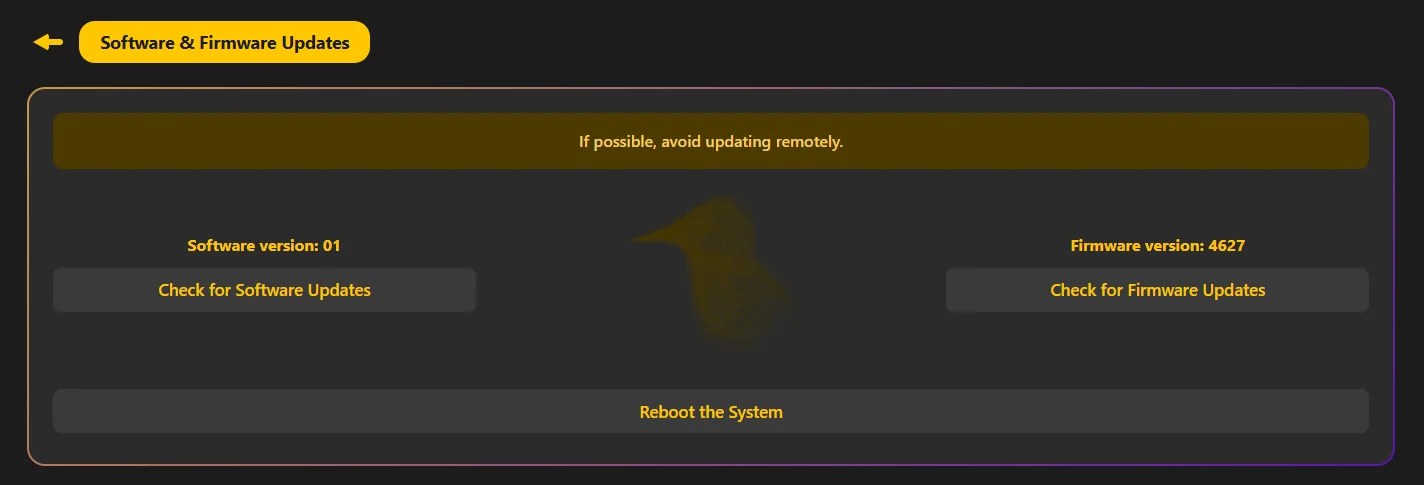
Software & Firmware Updates—Independent software and firmware version tracking with separate update checks and system reboot. The page itself carries the advice: if possible, avoid updating remotely.
Starling is designed as a near plug-and-play solution for professional and semi-professional observatories. It supports a wide range of motorisation types out of the box.
Full native integration with Lunatico's own Caterpillar SSR roll-off roof controller: the natural combination for a complete Lunatico observatory system.
Compatible with roofs driven by standard third-party motors, including garage door motors and similar automation hardware already installed in many existing observatories.
Supports larger observatory roofs powered by three-phase motors controlled through a Variable Frequency Drive, covering industrial-scale installations.
Starling can also control roof flap panels—auxiliary side hatches or hinged sections—as long as they are moved by linear actuators. Two of the free relays can be assigned to flap control.
A complete I/O system for observatory automation. Five relays are pre-assigned to standard observatory functions; three are free for custom needs.
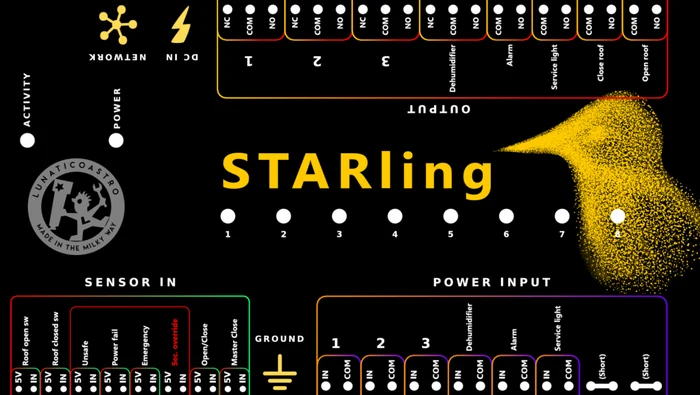
The connection label provides an at-a-glance overview of all sensor inputs and relay outputs, making installation straightforward and reducing setup errors in real observatory environments.
| Open roof | Pre-assigned |
| Close roof | Pre-assigned |
| Service lights | Pre-assigned |
| Alarm | Pre-assigned |
| Dehumidifier | Pre-assigned |
| Extra 1 / Extra 2 / Extra 3 | Free Flap-capable ×2 |
| Roof open switch | Position sensing |
| Roof closed switch | Position sensing |
| Unsafe | Safety monitor |
| Power fail | Power monitoring |
| Emergency | Emergency stop |
| Security override | Manual override (push button) |
| Open / Close | External command (push button) |
| Master Close | Forced closure (push button) |
| Dimensions | 145 × 60 × 245 mm |
| Power supply | 12V DC (up to 24V), <1A, 5.5/2.1mm jack |
| Connection | Ethernet (direct) |
| Relay outputs | 8 (5 pre-assigned + 3 free) |
| Sensor inputs | 8 (pre-assigned) |
| Noise protection | Extremely protected |
| Mounting | DIN rail (optional) |
| Manual control | Physical buttons/switches |
| Switched load | AC mains up to 240V, or DC |
Earthing is required. The box of the unit must be connected to ground (earth) via the circular banana-style socket on the case—even if every circuit routed through the Starling is D.C.
Local physical controlPhysical buttons or switches can be wired directly to Starling for manual roof operation—open, close, service light, outputs—without needing any computer. Essential for maintenance and on-site access.
Clients connect with their existing astronomy software through ASCOM, or directly via the web control panel or REST API.
Full ASCOM dome driver for Windows. Clients keep using their preferred automation software exactly as they would with a personal observatory: no workflow changes required.
Two distinct web interfaces: a comprehensive full-control panel for the Sentinel, and a simplified public control panel for Clients, accessible from any browser on any device.
A simple API enables integration with existing applications, observatory management systems and custom web dashboards, without going through ASCOM. Commands are sent over HTTP as http://starling/api/v1/<group>/<command>/<params>—the same calls the public control panel itself uses—and are Seletek Line Protocol (SLP) commands, documented in the Sentinel manual.
The Starling control panel is fully responsive. Pinning it to your phone home screen gives it an app-like feel: full roof control from any mobile device, no installation needed.
INDILib support is planned for a future release, extending Starling's compatibility to the Linux and INDI-based automation ecosystem.
Starling is designed so that in a shared environment, no single failure or missed logout leaves the observatory open. By default, an active unsafe, power fail or emergency sensor triggers the closing of the roof; the security override exists to suspend that behaviour deliberately.
If the Sentinel disconnects and this option is active, Starling closes the roof automatically, protecting the observatory even if the manager loses connectivity.
If all clients have disconnected and no one is using the observatory, Starling can close the roof, preventing an empty observatory from staying open overnight.
Get a configurable alarm in your smartphone if the roof fails to operate correctly.
The Sentinel monitors weather conditions via the Unsafe sensor input, which connects to the CloudWatcher or any other compatible safety monitor or rain sensor.
A dedicated Master Close sensor input—wired to a physical switch or an external system—forces the roof to close regardless of any other state or user request. This is the route to use when you need to override the other users: on the control panel the Sentinel's own open and close buttons count as one more user request, so if conditions are safe and other users still want the roof open, it stays open.
A dedicated sensor input monitors for power failures, allowing Starling to register and react to supply interruptions at the observatory.
The Sentinel can activate a security override to operate the roof manually, bypassing all software safety interlocks when needed for on-site maintenance.
A shared observatory controller is a system designed to allow multiple users to safely operate a single observatory infrastructure, coordinating access to the roof, sensors and safety systems without conflicts.
Starling uses a role-based model with a Sentinel (observatory manager) and Clients (observatory users). Clients operate under a common access model, while the Sentinel supervises the system and can take over control when required, ensuring conflict-free operation.
Yes. Starling is designed for professional and semi-professional observatories, offering the robustness, reliability and versatility required for demanding installations and continuous operation.
Starling supports a wide range of roof systems, including roofs automated with Lunatico's Caterpillar SSR, third-party motorisation systems such as garage door motors, and roofs driven by three-phase motors controlled via a VFD.
Yes. Starling provides a simple API and ASCOM compatibility, allowing easy integration with existing astronomy software, control systems and custom workflows.
No. Starling is accessed through a web-based interface available from desktop, tablet and mobile devices. ASCOM clients connect directly via network. Access permissions depend on the user role, not on the device used.
Yes. Starling is designed for remote observatory operation, providing safe roof control, system monitoring and integration with third-party software in shared and unattended environments.
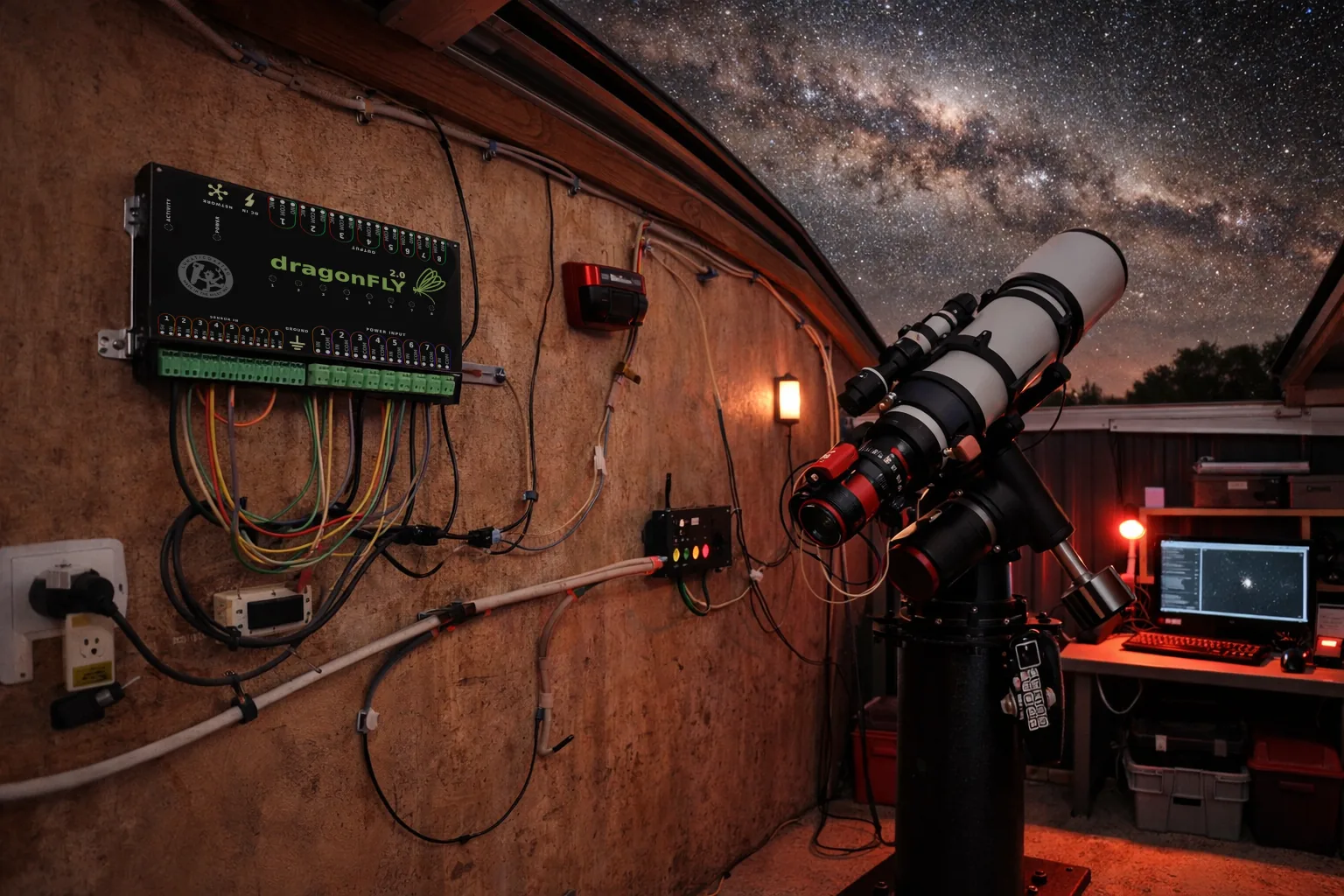
Build your own integrations with Lunaticoastro devices. Every command travels over plain HTTP, USB or UDP—one protocol shared across the whole range, so what you learn on one device works on the next.
Explore SLP391 commands · 12 devices · try one from your browser
Separate manuals for the Sentinel (observatory manager) and the Client (observatory user). The ASCOM driver is available for immediate download.