
What is LLLOD?
The idea is simple: monitor a number of things, and, if something's wrong, after a grace period, take action.
Things LLLOD can monitor:
- Weather safety status
- Mount position
- A program running and not stopping
- Internet connectivity
Actions it can take if conditions become unsafe:
- Running a script
- Closing the roof
- Parking the mount
LLLOD is designed to be easy to use, simple to configure, and very reliable.
How it works
As seen in the sample screenshot below, below each pictograph you'll find a status, in general:
- Green for safe
- Yellow for the open roof
- Red for unsafe—this will be a number representing the number of seconds that item has been in an unsafe status
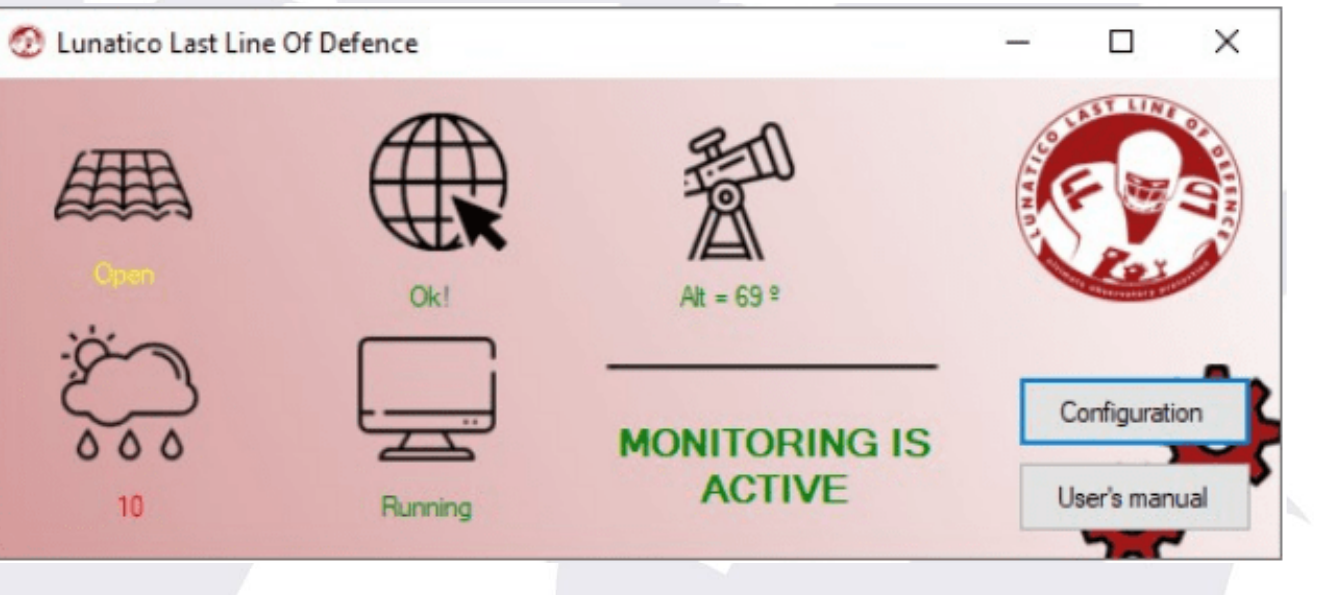
Note: as an optional bonus, it can feed our Good Night System with status data so that even if the computer running LLLOD freezes or just loses power, or reboots for Windows to install yet another update, you'll get a GNS alarm that will wake you up.
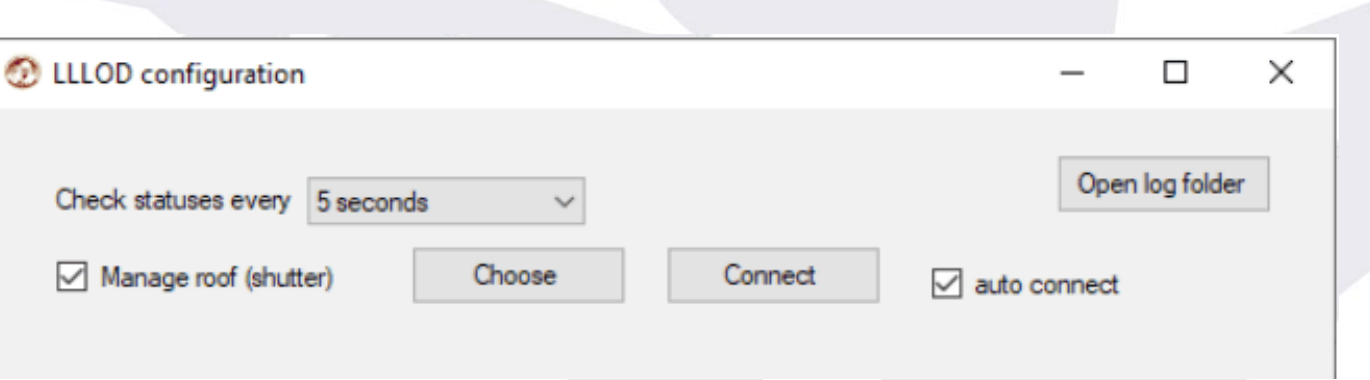
If the roof driver is connected (it's recommended to enable auto connect!) the system will wait for the roof to open before becoming active.
The configuration window
The configuration window, as seen below, is really self-explanatory.
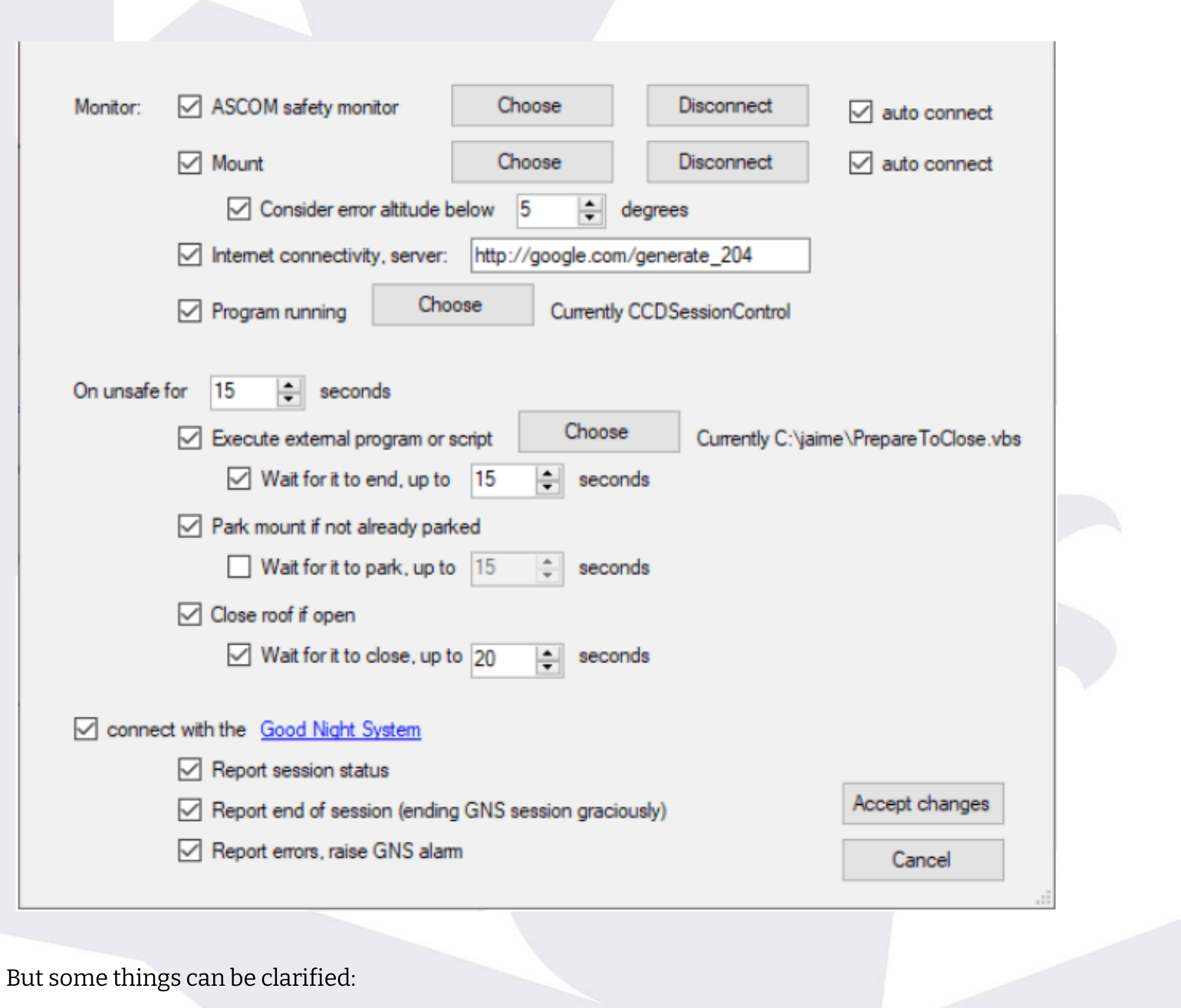
But some things can be clarified:
- The weather is monitored via the ASCOM safety monitor.
- Everything is optional, meaning you can choose to, for example, monitor the weather and internet connectivity, but nothing else.
- Every action to be launched on unsafe for a given time is optional as well. Be warned, though, if one of the "close observatory" actions fails (for instance, the mount does not park…) and you have selected "Wait for it to park", then the closing sequence will be aborted and end in error.
- And lastly, to accommodate current users of the GNS, and make it compatible with any other way of using it, what is sent to it is also selectable. To complete the picture, there's a detailed log that can be checked for analysis of what happened the night before—everything is reflected there.
Supporting our work
We've decided to offer this software for free—but we'll indeed appreciate it if you decide to donate some amount, depending on how useful you find the program.
We're calling this "Up To You – ware". At the end of each session, you'll have a summary window offering you the chance to donate something—if and how much, that's up to you.