CloudWatcher companion
The SOLO connects directly to your CloudWatcher and takes over everything a PC would normally do: web server, round-the-clock monitoring, alerts and ASCOM drivers. It requires a CloudWatcher, amplifying what the sensor does rather than replacing it.
Powers from your existing CloudWatcher supply
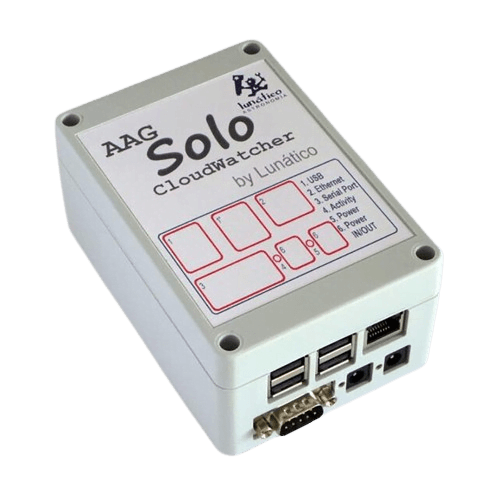
The SOLO takes over from your PC, connecting directly to the CloudWatcher via its own dedicated serial port. It monitors conditions around the clock, and because it runs continuously, constant operation actually extends the life of the CloudWatcher sensor.
The existing CloudWatcher power supply powers both devices. Nothing to rewire, nothing to reinstall.
The SOLO adds a full layer of connectivity, automation and remote access on top of the CloudWatcher sensor data.
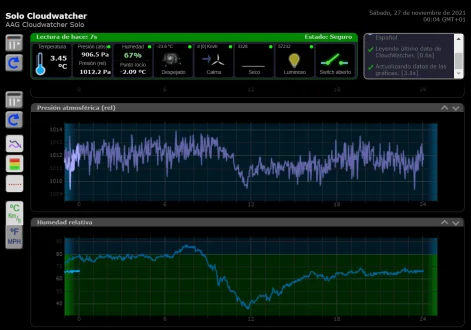
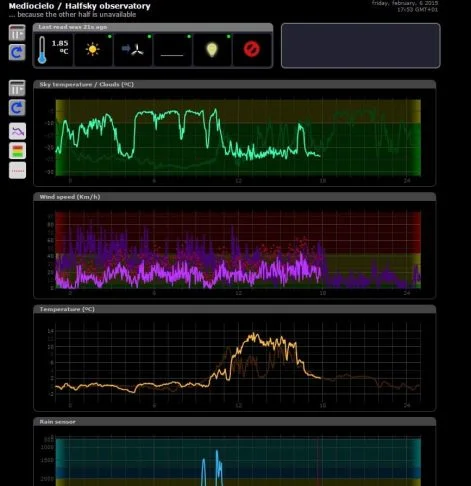
Monitor live CloudWatcher data from any browser, anywhere in the world. No software to install on the client side.
Publishes CloudWatcher data across your LAN so the legacy Windows software can run in Remote mode, with no serial port needed on the client PC.
Get instant alerts on your phone via PushOver or PushBullet when conditions change: clouds, rain, wind or any threshold you set.
Publishes all sensor readings to an MQTT broker, integrating with home automation systems, Node-RED, and other IoT platforms.
Embedded LUA programming language lets you create custom automations, triggers and responses directly on the SOLO.
At-a-glance sky conditions on your home screen. Current readings visible without opening any app. Heads up: some very recent Android models have reported issues—we're on it.
The SOLO can push CloudWatcher readings to multiple destinations simultaneously: cloud services, local storage and automation software.
Real-time data via HTTP. Browser access from any device on your network or remotely.
Publishes to any MQTT broker. Integrate with home automation, dashboards and IoT systems.
Generates standard JSON output for custom integrations and third-party tools.
Compatible with CCDAP, CCDCommander and other automation software that read flat data files.
Logs data indefinitely to a USB pen drive—insert the stick and logging starts. No cloud service involved.
Uploads data files to a NAS server on your local network for centralised storage and access.
The ASCOM Observing Conditions driver covers all the data available in the CloudWatcher, and includes the Safety Monitor driver in the same package. Download it from the CloudWatcher software page.
Software version 4.4 released, now with Wi-Fi support
Software version 4.3 released, several notable changes
K-factor optimisation tool now available
Custom timezones (UTC offsets) selectable in the settings
New CloudWatcher + SOLO video introduction
If you want to take a look at our SOLO installed in Hamilton, New Zealand, click here: http://aagsolo.lunatico.es:10800/
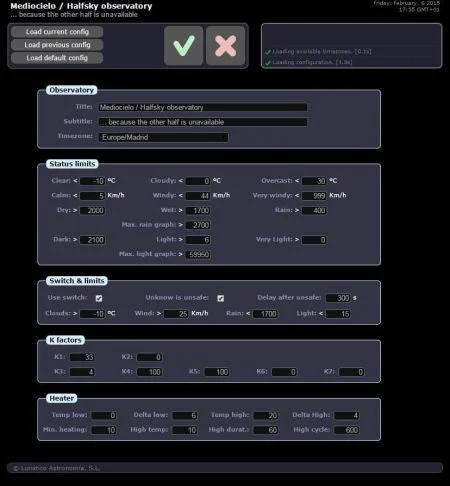
The SOLO web interface gives you live readings, historical graphs and full configuration, all from any browser, anywhere in the world.