
What is DragonFly Automata?
Most observatory controllers require a connected PC running automation software to make decisions. The DragonFly is different: it contains an on-board scripting engine called Automata that allows it to react to events and execute actions entirely on its own, with no PC required.
This is especially valuable for remote observatories. If the observatory computer crashes, is switched off, or simply isn't running automation software, the DragonFly can still respond to a CloudWatcher safety alert, close the roof, or send an alert.
What Automata can do
Weather safety response
Monitor the AAG CloudWatcher relay output. If the CloudWatcher signals unsafe conditions, the DragonFly can immediately close the observatory roof independently, without waiting for any PC software.
PC watchdog
Detect if the observatory computer has become unresponsive and automatically trigger a reset via a relay wired to the PC's power button. The watchdog runs on the DragonFly, so no PC software is needed.
Unauthorised opening alert
If the roof or dome opens without an active session—for example, if someone manually opens the roof with no software running—the DragonFly can detect this and trigger a notification or corrective action.
Custom macros
Write your own automation scripts using the DragonFly Macros language. Trigger them from sensor inputs, relay state changes, network events or time-based conditions.
How Automata works
Automata scripts are stored on the DragonFly and run on the device's internal processor. Scripts respond to events—changes in sensor readings, relay states, network messages or time conditions—and execute actions such as toggling relays, sending alerts or running further scripts.
The scripting language is based on the DragonFly Macros system, documented in the Macros Manual (PDF). It provides access to:
- All 8 relay outputs—open, close, pulse
- All sensor inputs—voltage readings, digital state
- Conditional logic—if/then/else based on sensor values or relay states
- Timing—delays, scheduled actions
- External triggers—CloudWatcher safety signal, network-based events
CloudWatcher integration
The most widely used Automata configuration connects the DragonFly directly to a CloudWatcher (or SOLO) safety relay output. When the CloudWatcher relay opens (unsafe condition), the DragonFly detects the input state change and executes a closure script—parking the mount relay, driving the roof motor relay, and locking it—entirely without PC involvement.
This means the observatory is protected even if the automation PC crashes during a session.
Resources: the complete Automata programming reference is in the DragonFly Macros Manual (PDF). Example scripts for common scenarios are included in the Setup Scripts package (ZIP).
Automata in action
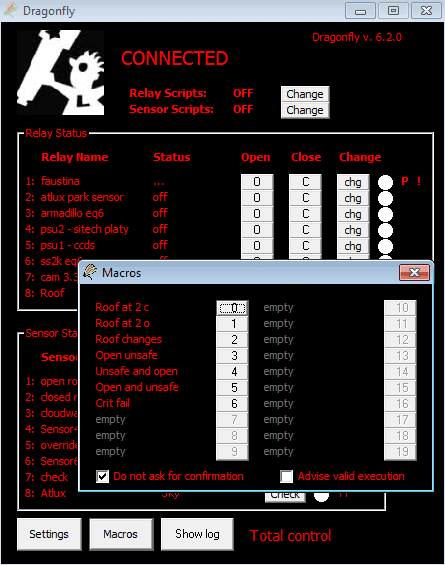
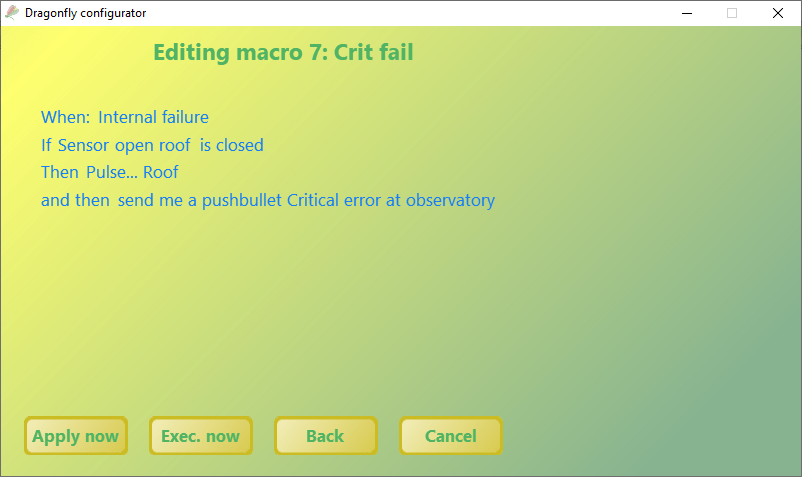
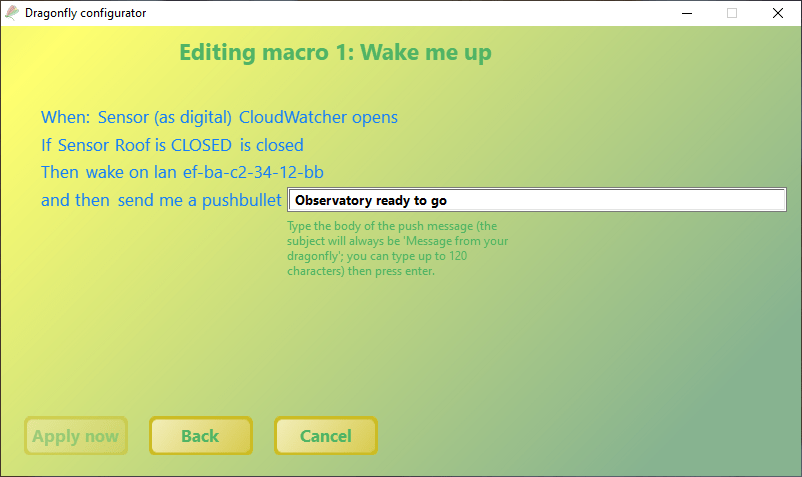
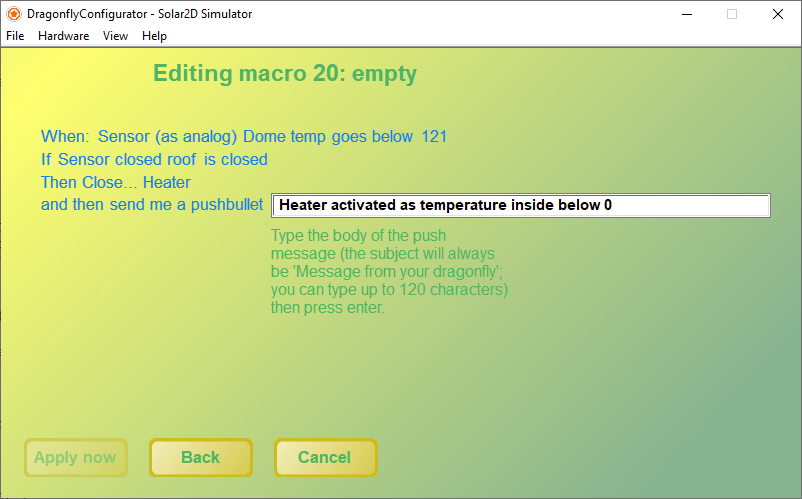
These screenshots show the macros panel and example scripts running on the DragonFly. The scripts panel gives access to all stored Automata programs; the critical macro and temperature sensor examples show typical monitoring logic.
Getting started with Automata
Automata scripts are managed from the DragonFly software's Automata tab. From there you can write, test and upload scripts to the device. Scripts persist on the device and survive power cycles: once uploaded, they run without any PC connection.
The DragonFly Setup Guide (PDF) covers the initial Automata configuration, including how to assign sensor inputs to CloudWatcher relay outputs and define the response actions.