
We have tested and calibrated the LM61 sensor, the same we use for the focuser range of products, as it has very good accuracy, range, and is quite easy to assemble.
The temperature sensors have 3 wires: 2 of them provide power (+5v and ground) while the 3rd one will output the temperature (in a proportional voltage). Red is +5v, white is ground, with the green/blue cable being the sensor output.
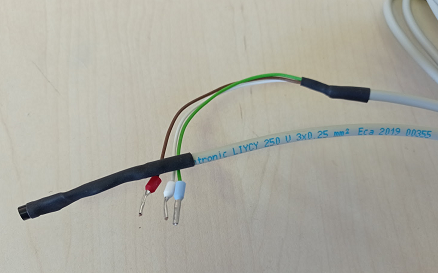
To attach the sensor to the Dragonfly, it is suggested to use sensor inputs closer to the ground—that is, sensor 8, then 7… Any number of sensors can be attached (up to three quite easily).
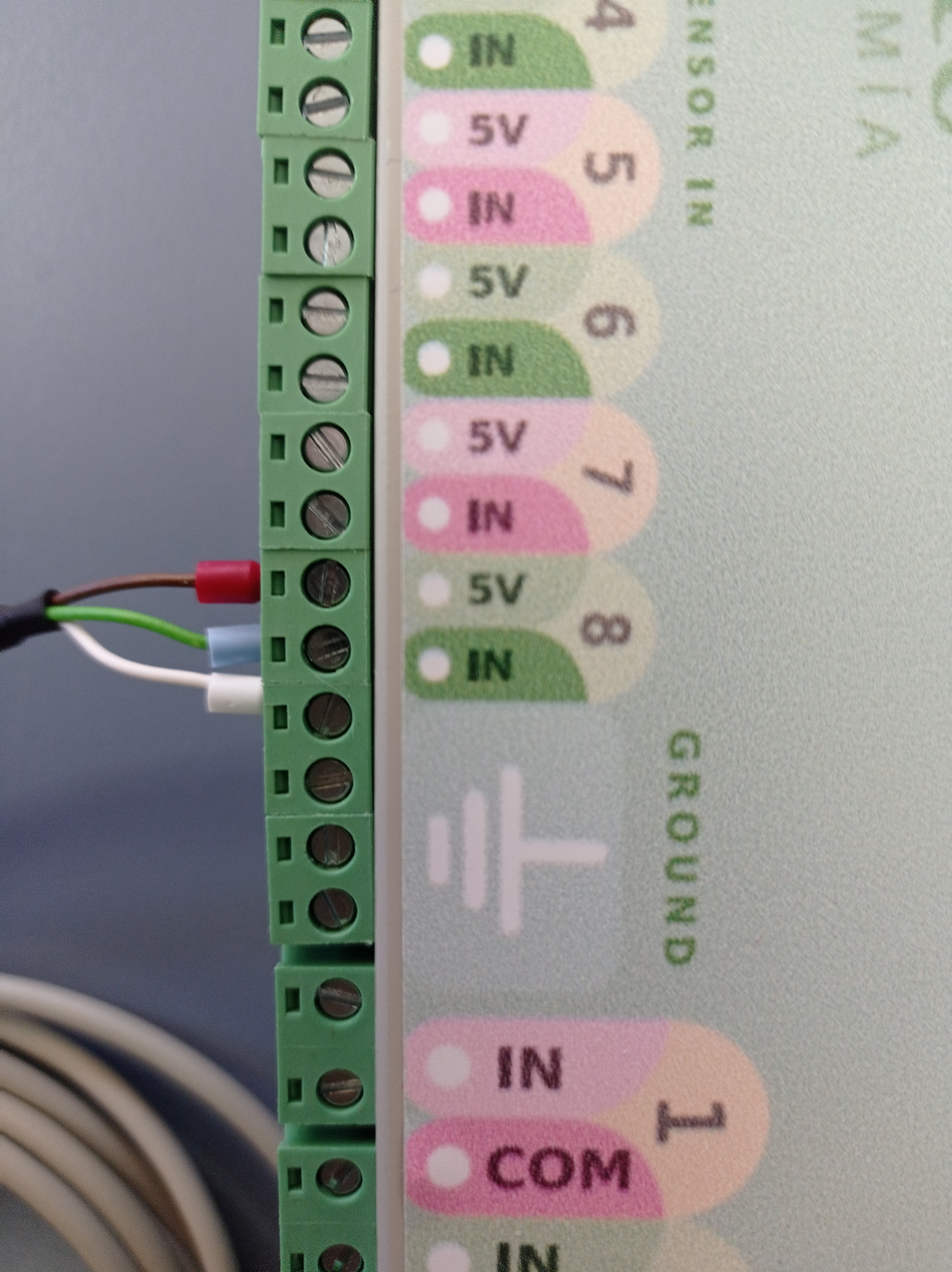
Converting the reading to a temperature
To get the temperature, in ºC, the formula is:
Temp = (sensor reading – 121) / 1.9558
Conversely, given a temperature, to calculate the matching reading:
Reading = (temperature * 1.9558) + 121
We can use the analog sensor options on the Dragonfly panel to, for instance, activate a heater if the temperature drops below 0ºC:
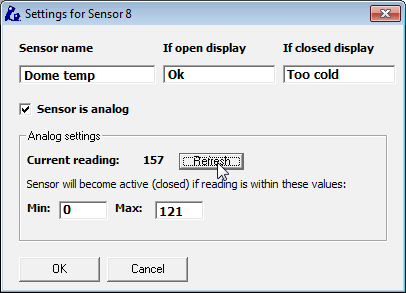
Currently, the temperature is at 18.4ºC (that reading of 157).
Worked example: a macro to run the heater
We can easily use a macro (check our express tutorials) to get the heater running:
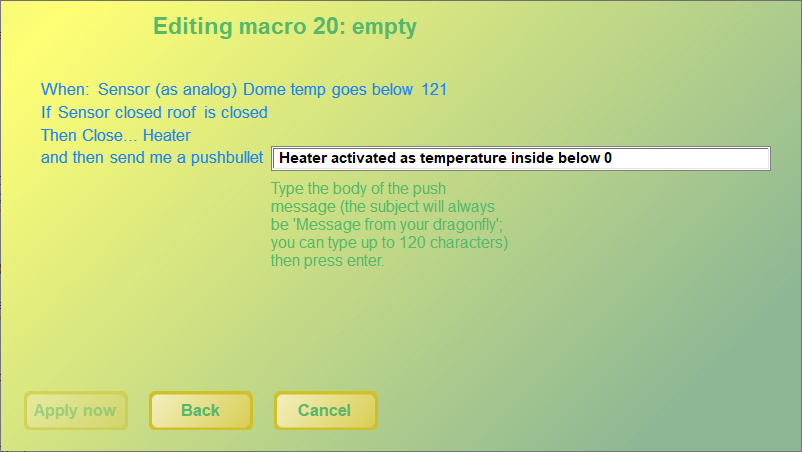
Don't forget to shut it off when the temperature rises again or the roof is open! For the full macro syntax, see the Dragonfly macros manual.