
Main panel

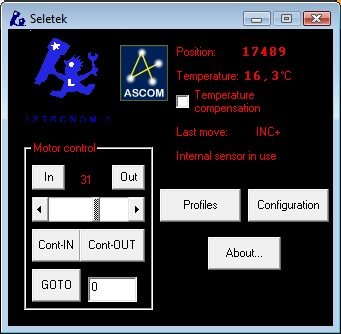
The main Seletek panel shows the current focuser position, temperature, and status at a glance. The large position counter updates in real time as the motor moves. Control buttons for in/out movement, stop, and position presets are immediately accessible.

Seletek software main panel — focuser position and controls
Main panel — position display and motor control buttons.
Seletek software main panel — full colour screenshot
Main panel — full colour view of the interface layout.

Mixed motor mode

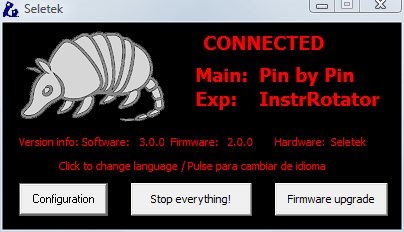
When the Seletek is configured for a second motor channel (e.g., focuser on channel 1, rotator on channel 2), the mixed mode view shows both channels simultaneously in a compact layout.

Seletek mixed motor mode — focuser and rotator channels side by side
Mixed mode — focuser and secondary channel displayed together, each with independent position controls.

Rotator view

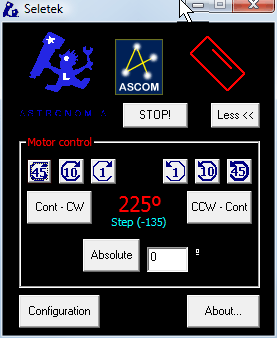
The rotator panel shows position in degrees (0–360) with a compass-style indicator. Position presets for common angles — north, east, PA targets — can be saved and recalled.

Seletek rotator view — position in degrees with angle controls
Rotator panel — current position angle and goto controls.

Configuration and detail screens

Seletek detail screen 1 — motor configuration tab
Motor configuration — speed, current and microstepping settings.
Seletek detail screen 2 — temperature compensation tab
Temperature compensation — sensor reading and coefficient settings.
Seletek detail screen 3 — handpad and relay settings
Handpad and relay configuration tab.
Seletek detail screen 4 — ASCOM driver settings
ASCOM driver configuration — focusing and rotator driver options.
Seletek detail screen 5 — position presets and backlash settings
Position presets and backlash compensation settings.

The software is included in the download package on the Seletek downloads page. Full documentation is available in the online help manual.