
The control panel features easily accessible buttons to open and close the roof, as well as to abort roof operation. However, note that as the sentinel, when pressing the open or close roof buttons, these act like any other user's request (i.e. if conditions are safe and there are still users wanting the roof open, even if you request to close the roof, it will remain open until one of those conditions changes). If you wish to override other users, you will need to use the master close or Open/Close inputs.
The peripherals list shows the 6 relays that can be controlled at will (the other two are the roof control relays and should not be changed manually). The Extra 1, Extra 2, and Extra 3 relays don't have a fixed function and can be used for whatever you wish. They have editable names (just hover over them and you'll see a pencil to edit) that will be stored in the device and will show up across all pages (including the public control panel), regardless of where you're accessing the Starling from.
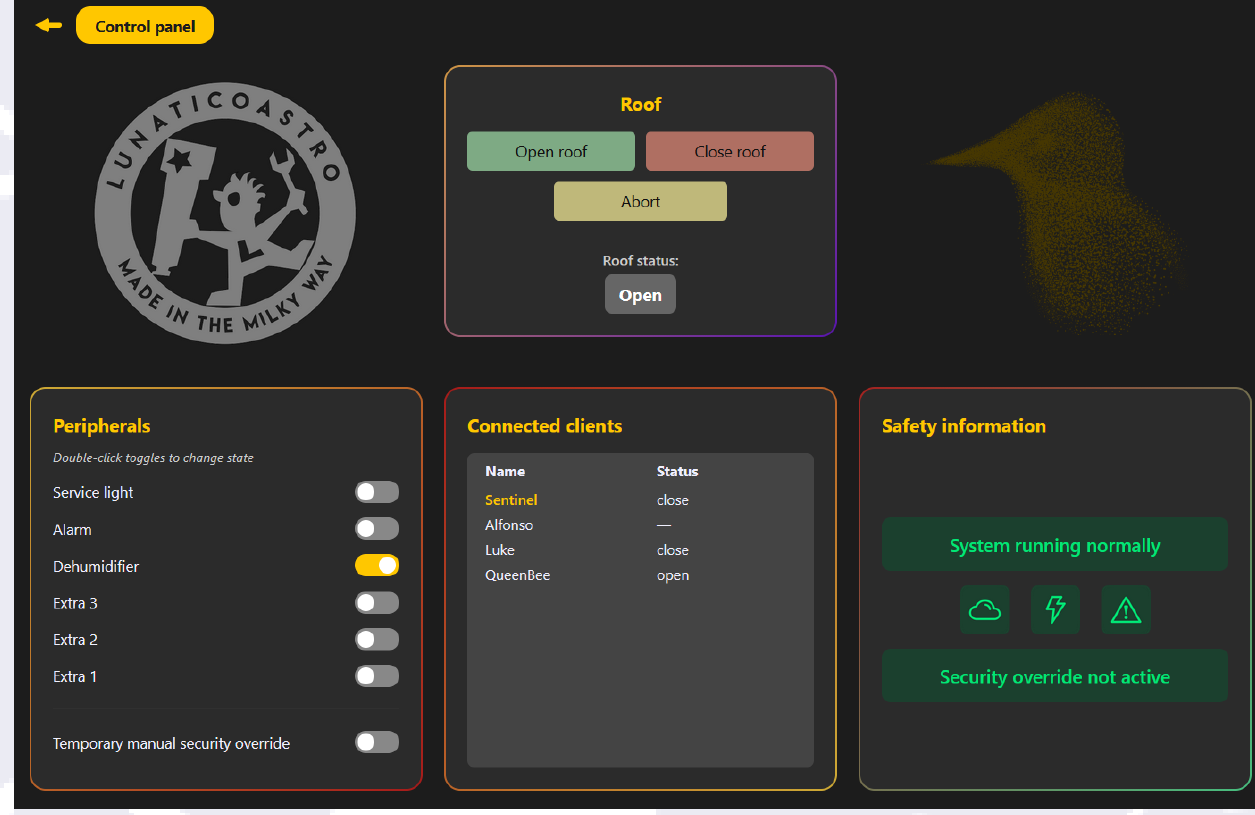
Toggling the relays requires double-clicking, to ensure they're only ever changed intentionally.
Under the relay toggles, there is a toggle (which also requires a double-click) to enable the security override. This override is temporary, where temporary here means it won't persist through a reboot, but it's not time-dependent. Enabling the persistent manual override (from the configuration page) will turn this off automatically, as it would be redundant otherwise.