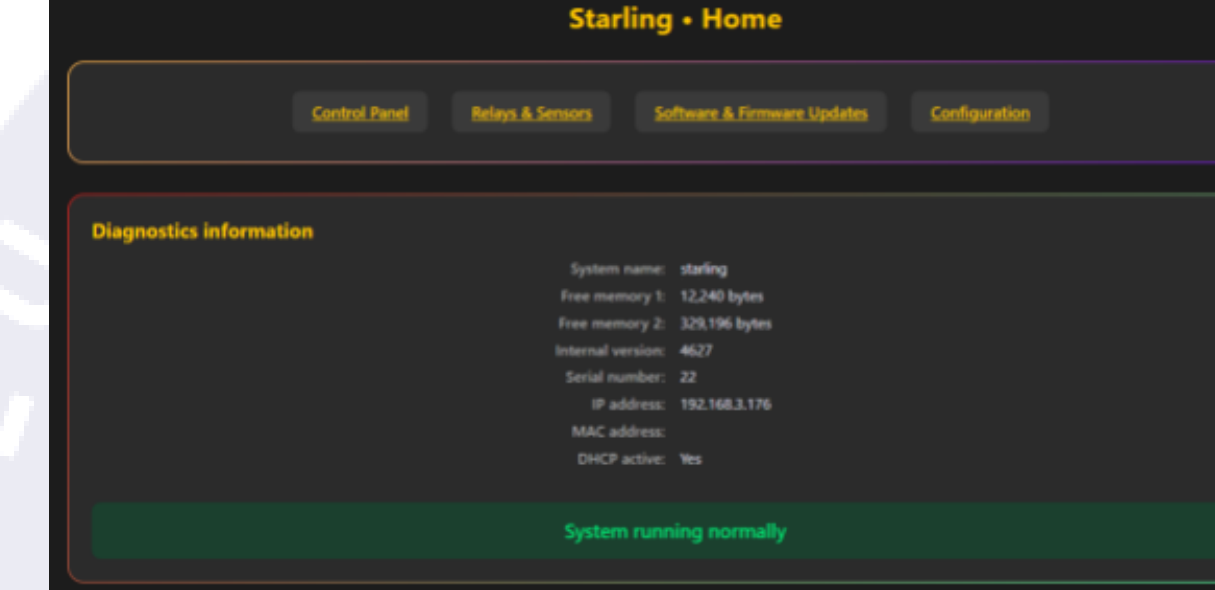
The Starling comes with an internal web server that can be accessed via its IP address or its name (http://{ip-address}, http://starling, http://starling.local—where "starling" will be replaced by its name if a different one has been assigned), and offers full control of the device, as well as information about the different users connected to it and a number of other features we will delve into below. The first login credentials are username starling and password starling; be sure to change those through the configuration page.
This web server (other than the /public page, the control panel for users) is password-protected to ensure only the sentinel can access it directly (users will interact with the device via the ASCOM driver or the public panel). It is also accessible from a mobile device via the same address.
Tip: if you're planning on using the web server from your phone, consider pinning it to the homepage—that'll make it easily accessible and give it an app-like feel!
The homepage
The homepage includes buttons for each of the other pages, as well as the Diagnostics information box, which displays information about the device and its current state.